Home › Blog › What Is a Systems Study
What Happens in a Systems Study? A Look Inside the Process
Last updated: July 14, 2026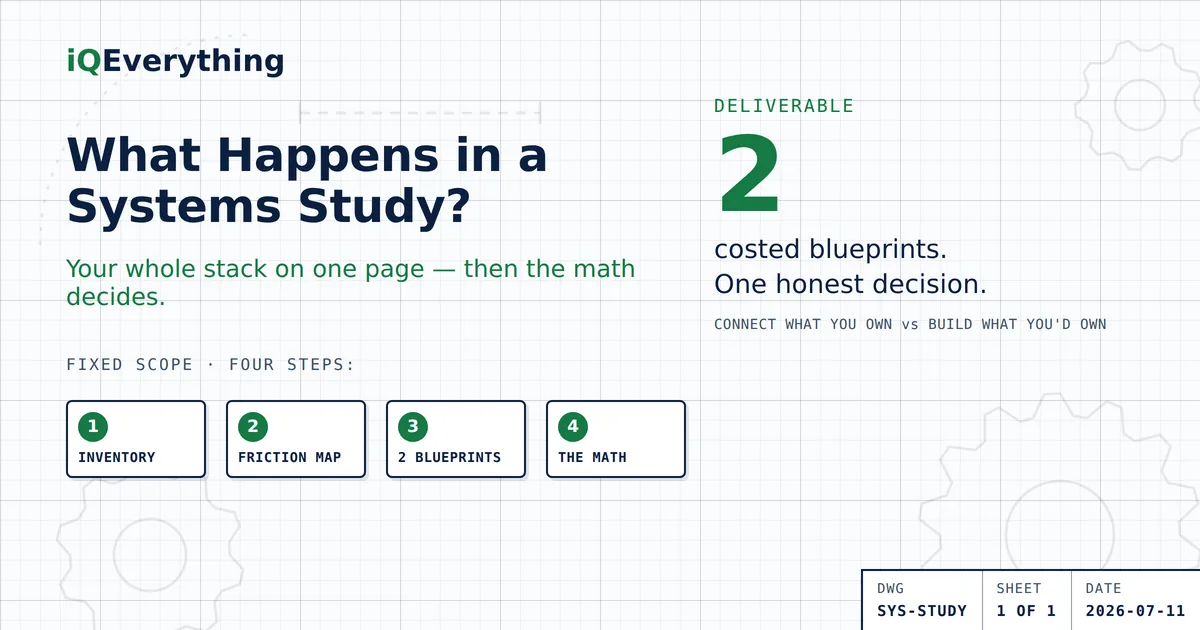
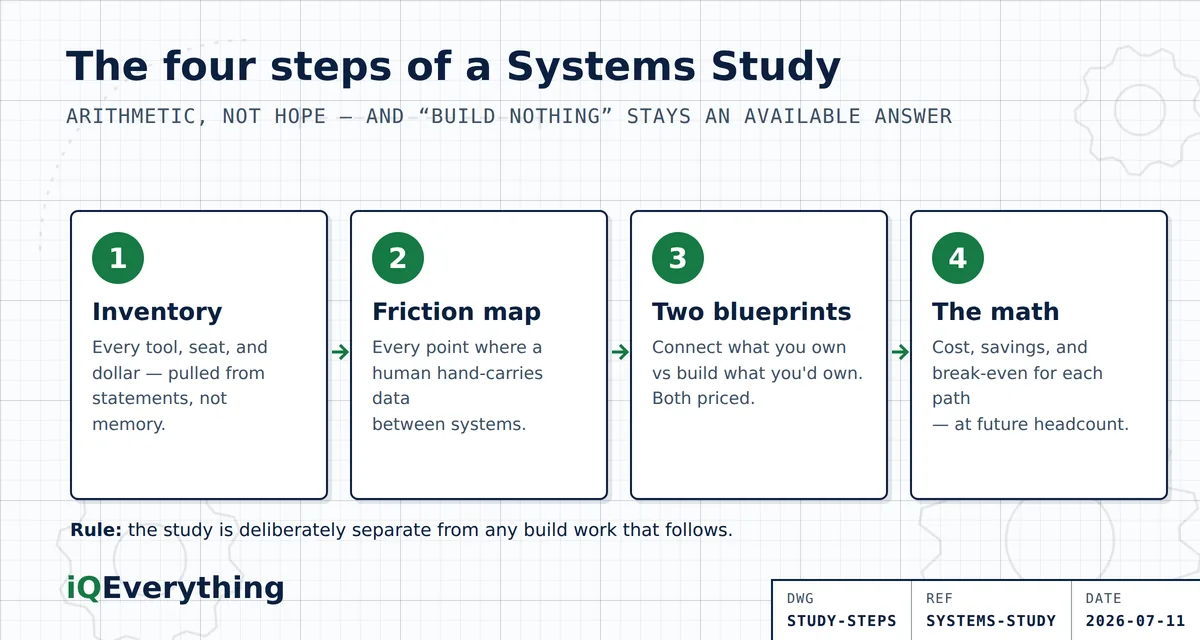
The short answer: a Systems Study is a paid, fixed-scope engagement that answers one question with numbers instead of opinions — what should your business consolidate, connect, or replace? It has four parts: a complete inventory of your tools and spend, a friction map showing where data dies between systems, two costed blueprints (connect what you own versus build what you’d own), and the payback math comparing them.
You end with a decision you can defend to a CFO — not a pitch.
Think of it as the survey before construction. Nobody pours a foundation without knowing what’s under the ground — and nobody should sign a software build, or another year of renewals, without knowing what their stack actually does today. That’s not a small blind spot: Zylo’s 2026 SaaS Management Index found 61% of companies cut projects because of unplanned SaaS costs, and 78% got hit with pricing surprises they didn’t see coming. The study exists so the next dollar you spend on systems is a decision, not a reaction.
Here’s what actually happens inside one, step by step — so you know what you’re buying before you buy it, and whether you need it at all.
What does “paid, fixed-scope” actually mean?
A defined deliverable list, a defined timeline, and a defined price, agreed up front. It’s not an hourly engagement that grows. And it’s deliberately separate from any build work that might follow — the study’s job is to make the decision honest, including when the honest answer is “don’t build anything.”
That separation is the point. A consultant whose analysis is free makes money only if you buy the project. When the analysis itself is the product, “change nothing but these four line items” is an acceptable answer — and sometimes it’s the right one.
Step 1: The inventory — every tool, every seat, every dollar
The first pass finds what you’re actually paying for, which is rarely what anyone thinks. It’s pulled from the source — card statements, invoices, and admin screens, not memory — because memory misses the tools that renew quietly.
Each line gets four facts attached: what it costs, who actually logs in, what job it does, and what else overlaps with that job. Two surprises show up almost every time: subscriptions nobody could name, and two or three tools doing the same job for different teams. If you want a preview of this step at small scale, the small-business cost breakdown shows where the waste usually hides.
Step 2: The friction map — where data dies between tools
The inventory shows what you pay. The friction map shows what the gaps cost.
We trace your core workflows end to end — a lead becoming a customer, a job becoming an invoice, an invoice becoming money in the bank — and mark every point where information stops and a human has to carry it: retyping, exporting, copy-pasting, “let me check the other system.” Each carry-point gets a time estimate and an error estimate, because hand-carried data is where double-entries and dropped follow-ups live.
This is usually where the study pays for itself. The unused-license waste from Step 1 is real money — but the friction losses, hours a week of skilled people moving data by hand, are almost always the bigger number.
Step 3: Two costed blueprints
The study delivers two competing plans, both priced:
- The connect blueprint: keep the platforms that earn their keep, cancel the ones that don’t, and put one unified front-end on top — AI agents working through the APIs of the systems you already own, handling the carry-points from the friction map. Costed with setup and monthly run-rate.
- The build blueprint: where the math supports it, replace specific rented workflows with a system that’s fully yours — your data, your logic, no per-seat fees. Costed with the build estimate and honest upkeep.
Two blueprints is the point. A consultant with one answer is a salesperson. Forcing both options to compete on your numbers is what keeps the recommendation honest — and the comparison logic is exactly the consolidate-versus-custom-build math we’ve published.
Step 4: The math — payback, not promises
The last section puts both blueprints against your current spend: what each costs up front, what each saves per month, and where break-even lands — calculated at your projected headcount, not today’s, because per-seat pricing means doing nothing gets more expensive every year.
The recommendation at the end is written in those terms. Sometimes it says connect and stop there. Sometimes it says build one thing and keep renting the rest. And sometimes it says your stack is fine — cancel these four lines and change nothing else. The study is paid for precisely so that answer stays available.
Who needs a Systems Study — and who doesn’t?
It earns its fee on complexity. You’re likely a fit if any of these are true: your operation carries serious license spend and nobody owns the list; you’re seriously considering a custom build; a major platform renewal is coming and the price keeps climbing; or your team hand-carries data between systems daily.
Small businesses usually don’t need the full study — a strategy call plus the consolidate-connect checklist in the 2026 Guide to SaaS Overload covers it. Larger operations with six-figure license spend almost always learn something the CFO wants to see. No complexity, no fee — that rule protects both sides.
Frequently asked questions
What does a Systems Study include?
Four deliverables: a complete tool-and-spend inventory, a friction map showing where data moves by hand between systems, two costed blueprints (a unified front-end on your existing systems’ APIs versus a build plan for a system you own), and the financial analysis showing what each path costs, saves, and when it pays back. Scope, timeline, and price are fixed up front.
How is a Systems Study different from a free consultation?
A strategy call scopes the problem; a Systems Study settles the decision. The call tells you whether the deeper work is worth it. The study delivers the inventory, the friction math, and two costed options — analysis work, not an hour of conversation.
Does a Systems Study end with a recommendation to hire the same firm?
Not necessarily. The two-blueprint format exists so the numbers make the call, and one available outcome is consolidate, connect nothing, build nothing. The study is yours either way — build with us afterward, or hand it to your own team.
Who needs a Systems Study?
Larger operations with serious license spend — especially those weighing a custom build, staring down a big platform renewal, or watching teams hand-carry data between systems daily. Small businesses usually don’t need the full study; a strategy call and the consolidate-connect checklist covers it.
What do I need to prepare before a Systems Study?
Very little. The inventory is pulled from source documents — card statements, invoices, admin screens — rather than anyone’s memory, and the friction mapping needs short walkthroughs with the people who actually run the workflows. Knowing roughly what you pay for software is enough to start the conversation.
Ready to see your stack on one page?
Start with a strategy call — no charge, no prep beyond knowing roughly what you pay for. If a Systems Study is the right fit, you’ll know by the end of the call. If it isn’t, you’ll leave with something to cancel anyway.
Book a Strategy CallOr call or text (615) 628-7386 — a human answers.