Home › Blog › AI Agents and Your Tools
How AI Agents Connect the Tools You Already Own
Last updated: July 14, 2026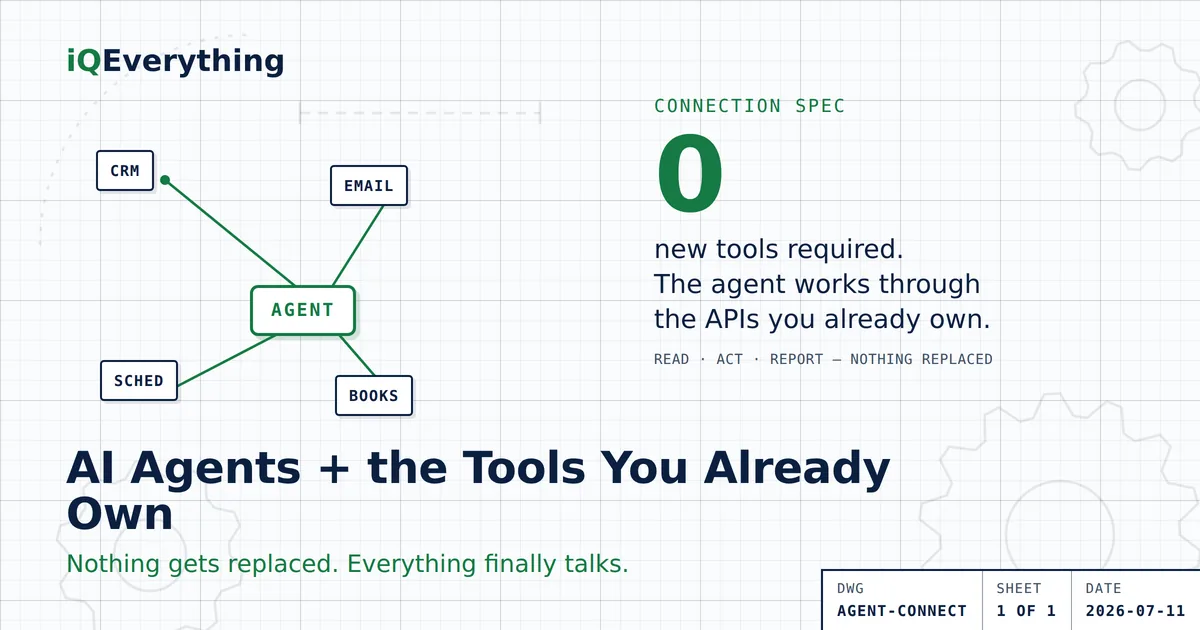
The short answer: you don’t need new software to use AI agents. An agent connects to the tools you already pay for — your CRM, your calendar, your invoicing, your inbox — through the same connection points (APIs) those tools already use to sync with each other. It reads from them, acts across them, and reports back. Nothing gets replaced.
That matters because the software industry’s answer to “too many tools” has historically been another tool. An agent is the opposite move: a working layer on top of the stack you own.
Most businesses that “try AI” get sold one more subscription. An AI chatbot here, an AI scheduler there — each with its own login, its own database, its own invoice. That isn’t automation. That’s SaaS overload with a smarter sales pitch. And the stack it lands on is already leaking: Zylo’s 2026 SaaS Management Index puts more than a third of paid licenses — 36% — completely unused.
The fix for a fragmented stack isn’t tool number fifteen. It’s making the fourteen you own act like one system. Here’s how agents actually do that — and what they honestly can’t.
What is an AI agent, in plain English?
An AI agent is software that can take a goal, look at real data, and carry out a multi-step task without a human clicking every step.
A regular automation follows one rigid rule: when a form is submitted, send this email. An agent handles the messy middle: a lead came in — check whether we’ve talked to them before, draft a reply that mentions their actual question, put a follow-up on the calendar, log all of it in the CRM. Same trigger, four tools touched, judgment applied at each step.
The key words are “carry out.” A chatbot answers questions. An agent does work.
How does an agent connect to software you already own?
Through APIs — the connection points nearly every modern business tool already has. If your software can sync with anything (your calendar syncs with your phone, your card reader syncs with your bookkeeping), it has an API. The agent uses those same doors. Practically, connecting one looks like this:
- Grant access. Each tool issues a key, usually from a settings screen you already have. You decide what the agent can see and what it can touch.
- Give it one job. Follow-up, scheduling, reporting, or reconciliation — one workflow, defined clearly. Not “run my business.”
- Set the guardrails. What the agent may do on its own (draft, log, remind) versus what needs your sign-off (send, charge, delete).
- Watch it work, then loosen the leash. Week one, you approve everything. Week four, you approve exceptions.
Notice what’s missing: data migration. There is no “switch everything to our platform” step. Your tools stay where they are. The agent comes to them.
What can one agent actually run across your tools?
The highest-value jobs are the ones that die in the gaps between tools today:
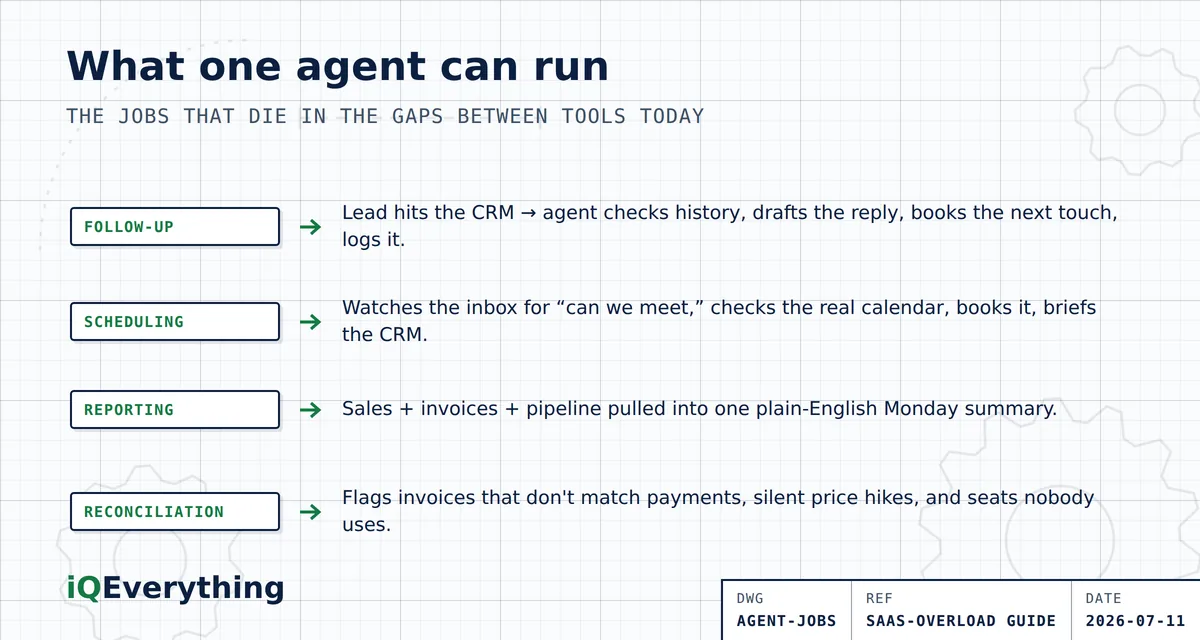
- Follow-up. New lead hits the CRM → the agent checks history, drafts the reply, schedules the next touch, logs the note. Follow-up stops depending on someone remembering.
- Scheduling. The agent watches the inbox for “can we meet,” checks the real calendar, proposes times, books it, and puts the context in the CRM before the call.
- Reporting. Every Monday: sales from the card reader, invoices from bookkeeping, pipeline from the CRM — one plain-English summary. No more logging into four dashboards to answer one question.
- Reconciliation. The agent flags invoices that don’t match payments, subscriptions that renewed at a higher price, and seats nobody logged into this month.
Look at that list again. It’s all connective work. The tools already hold the data — what’s missing today is anything that moves it.
What can’t AI agents do?
Three honest limits, because anyone who skips these is selling something:
- An agent can’t fix bad data. If your CRM is full of duplicates and dead contacts, the agent automates confusion. Clean the source first — or make cleanup the agent’s first supervised job.
- An agent shouldn’t make judgment calls that carry real risk. Pricing exceptions, refunds above a threshold, anything legal — those route to a person. Guardrails aren’t a limitation of agents; they’re the correct design.
- An agent can’t automate a workflow nobody can describe. If no one can say how a lead becomes a customer, the agent can’t either. Map the process, then automate it.
Do you have to replace anything first?
No — and for most businesses, you shouldn’t. In the consolidate-connect-replace framework from the 2026 Guide to SaaS Overload, agents live in the connect step: keep the platforms that earn their keep, and put one working layer on top.
Replacing a platform outright is sometimes right — usually when per-seat fees keep climbing on a workflow you could own. But that’s a math question, and the order matters: connect first. Connecting shows you which tools actually earn their subscription — and which ones the agent quietly made redundant. We walk through the consolidate-versus-custom-build math in its own guide.
Frequently asked questions
Can AI agents work with the software I already have?
Yes, in most cases. Any tool with an API — which includes nearly every mainstream CRM, calendar, bookkeeping, and payment platform — can connect to an AI agent. The agent works through the same connection points your tools already use to sync with each other. If your calendar syncs with your phone, it has an API.
Do I need to buy new software to use AI agents?
Usually no. An agent is a layer on top of your existing stack, not another subscription alongside it. If a vendor’s answer to “will this work with my current tools?” is “switch everything to our platform,” that’s a replacement pitch, not an agent.
What should an AI agent be allowed to do on its own?
Start narrow: drafting, logging, reminding, and reporting are safe defaults. Sending messages, charging cards, and deleting records should require human sign-off until the agent has earned trust on your real data — typically a few weeks of reviewed output.
Will an AI agent replace my CRM or bookkeeping software?
No. The agent depends on those systems — they’re where the data lives. What an agent often replaces is the duplicate tool you bought to patch a gap: the standalone scheduler, the extra reporting dashboard, the reminder app.
Can AI agents fix bad data in my systems?
Not on their own. If your CRM is full of duplicates and dead contacts, an agent automates the confusion. Either clean the source first, or make cleanup the agent’s first supervised job — flagging duplicates and stale records for a human to approve.
Want to see what an agent could run in your business?
Bring your tool list to a strategy call. We’ll walk through which of your systems already talk over APIs — and what one agent on top of them could handle this month.
Book a Strategy CallOr call or text (615) 628-7386 — a human answers.