Home › Blog › How Many Software Tools
How Many Software Tools Does a Small Business Actually Need?
Last updated: September 24, 2026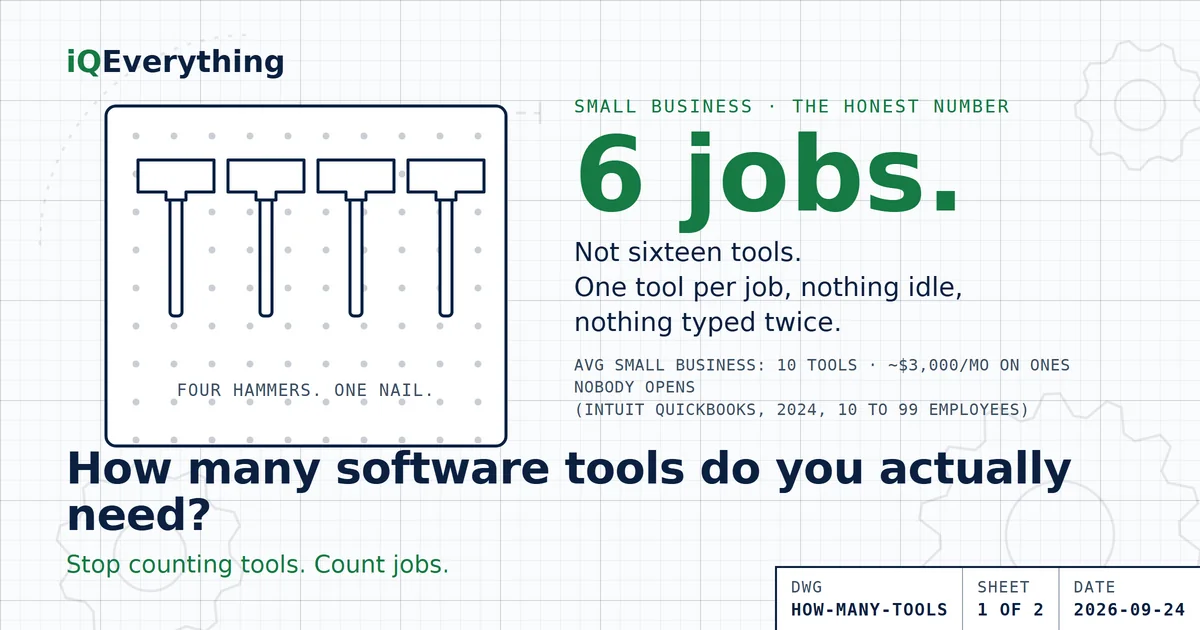
The short answer: the average small business runs about 10 software tools. That is from Intuit QuickBooks’ 2024 survey of 630 owners and executives at US companies with 10 to 99 employees. The same owners said they overspend about $3,000 a month on apps they never or rarely use. So the average is not the right number. It is just the number people drift to.
The honest answer is one tool per job. Most small businesses have about six jobs that software has to cover. Cover each one once, with no idle seats and nothing re-typed between tools, and the count takes care of itself. For most 10 to 50 person shops that lands between six and ten.
Let me tell you about my grandpa’s shop wall. Pegboard, floor to ceiling, and on it hung four hammers. Not because anybody needed four. Because every time somebody needed a hammer and couldn’t find one, they went to town and bought another. Then the old one turned up under the seat of the truck, and now there were two. Then three. You know how this ends, right?
That’s your software stack. Nobody sits down and decides to run twelve subscriptions. It happens one Tuesday at a time. You needed a scheduler on a Tuesday, so you bought one. Marketing needed an email tool on a different Tuesday. Somebody started a free trial on yet another Tuesday, and it quietly turned into a monthly charge. I call these Tuesday Tools: bought to solve one Tuesday’s problem, still billing three years later.
So how many hammers do you actually need? Let’s figure it out. With real numbers, not guru numbers.
What is the average number of software tools a small business uses?
About ten. In August 2024, Intuit QuickBooks surveyed 630 owners and executives at US businesses with 10 to 99 employees. They reported using an average of 10 different digital business solutions to run operations. Same survey, two more numbers worth chewing on: those teams spend about 25 hours a week on manual data entry, and the owners figure they overspend about $3,000 a month on apps and software they never or rarely use.
Read those three together and you get the whole story. Ten tools. Twenty-five hours a week moving information between them by hand. Three grand a month on ones nobody opens. That’s not a stack. That’s a pegboard with four hammers on it.
Bigger companies are worse, if that makes you feel better. Zylo’s 2026 SaaS Management Index puts the average organization at 305 apps (median 240), with 36% of paid licenses sitting unused and median spend of $9,455 per employee per year. BetterCloud’s 2025 State of SaaS report counted 106 apps at the average company. The exact count depends on who you ask. The waste shows up in every survey.
What jobs does the software actually have to do?
Here’s the trick that makes this whole question easy. Stop counting tools. Count jobs. A tool is just a hired hand. What matters is the chore list. And for most small businesses, the chore list is short. Six jobs, give or take one:
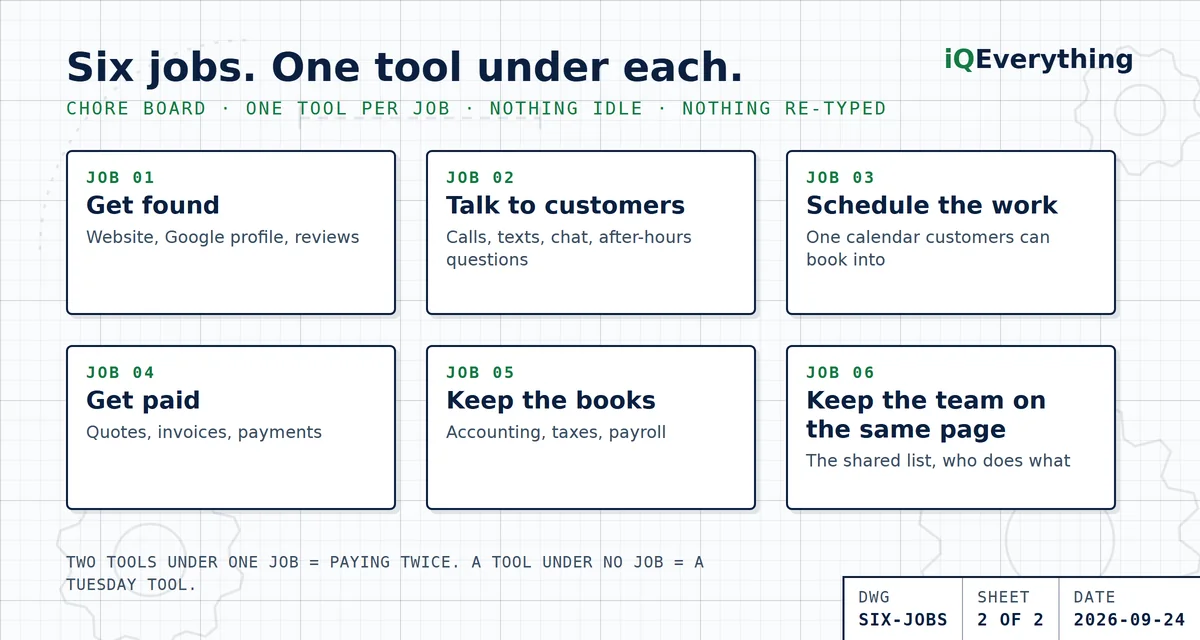
| Job | What it covers | Usually one tool |
|---|---|---|
| 1. Get found | Website, Google Business Profile, reviews | Your website (and it should answer questions, not just sit there) |
| 2. Talk to customers | Calls, texts, email, website chat, after-hours questions | One inbox or one phone system that catches all of it |
| 3. Schedule the work | Appointments, dispatch, the calendar | One calendar that customers can book into |
| 4. Get paid | Quotes, invoices, card and ACH payments | One invoicing and payments tool |
| 5. Keep the books | Accounting, taxes, payroll | One accounting system your CPA can log into |
| 6. Keep the team on the same page | The shared list, the shared docs, who’s doing what | One shared workspace or checklist |
That’s it. Six jobs. Now look at your pegboard. How many tools do you have hanging under job number two? If you’ve got a phone system, a texting app, a separate live chat, a contact form that emails you, and a Facebook inbox nobody checks, that’s five hammers for one nail. Wouldn’t you agree?
Why does the tool count keep creeping up?
Because every Tuesday Tool solved a real problem on the day you bought it. Software doesn’t send you a note when it stops being useful. The trial converts on day 15 whether you logged in or not. The person who set up the tool leaves, and the subscription stays. And every new tool arrives to fix one problem, without anybody checking whether something you already pay for could do the job.
Then the renewal notice shows up, switching feels like a project, so you pay again. That’s exactly when it costs you. Zylo found 79% of IT leaders hit a price increase at renewal in the past year. Your ten tools don’t just sit there. They get more expensive while they sit there.
It’s drift, not a decision. That’s the good news, actually. It means you’re not disorganized. You’re just overdue for a look at the wall. We wrote up the seven signs you’ve got too many tools if you want the full checkup.
How do you find your own number?
Three steps. They take an afternoon, and I have never once seen an owner finish them without finding money.
Step 1: Write the chore list, not the tool list
Take the six jobs above and write them down the left side of a sheet of paper. Add a seventh or eighth if your business truly has one (inventory, payroll, a marketing email list). Don’t write a single tool name yet. Jobs first. This is the step everybody skips, and it’s the whole game.
Step 2: Hang one tool under each job
Now go through your card statement and put every software charge under the job it does. Two tools under one job? You’re paying twice. Pick the one your team actually likes and cut the other. A tool that doesn’t fit under any job? Ask what it’s for. Nobody knows? That’s a Tuesday Tool. Then run the platform test: before you keep any standalone tool, check whether a platform you’re already keeping does that job. Your invoicing tool probably has a scheduler. Your accounting system probably takes payments. Most owners find at least one hammer they bought when there was already one on the wall.
Step 3: Connect what’s left
This is where the 25 hours a week goes. When two tools don’t talk, a person becomes the wire between them, re-typing the same customer name into the scheduler, the invoice, and the books. Harvard Business Review tracked workers at three Fortune 500 companies in 2022 and found they toggled between apps and websites nearly 1,200 times a day, spending just under four hours a week just reorienting. Your six tools should share information so nobody types anything twice. That’s the job an AI agent does across the tools you already own, and it’s usually the biggest win of the three.
What if your number is above six? Or below?
Above is common and easy. If you’ve got twelve tools for six jobs, you’ve got duplicates, dead seats, and orphans, and we laid out exactly what to cut first. Cut the obvious waste, then put a dollar figure on what you were burning. It’s usually more than the owner guessed.
Below is rarer, and it’s a different kind of expensive. A job with no tool gets done in somebody’s head, or in a notebook in the truck. That works right up until that person is sick, or gone, or just plain busy. The cost of too few tools isn’t a subscription. It’s a missed call, a forgotten invoice, or a customer who booked with the shop that answered at 9 p.m. when you didn’t. Same math either way: every job covered once, and the tools connected.
Is one all-in-one platform better than several tools?
Depends on the job, and anybody who tells you otherwise is selling one of the two. An all-in-one wins when it covers your six jobs well enough that you stop paying for standalones. Separate tools win when a job is the heart of your business and the platform’s version of it is weak. A roofer whose whole business runs on scheduling and dispatch should not settle for the “calendar tab” inside an invoicing app. A consultant who books three meetings a week probably should.
The test is the same one from step two: does something I already keep do this job well enough? If yes, you don’t need the standalone. If no, buy the standalone and connect it. Either way, one tool per job.
Frequently asked questions
How many software tools does the average small business use?
About 10. Intuit QuickBooks surveyed 630 owners and executives of US businesses with 10 to 99 employees in 2024 and found they use an average of 10 different digital business solutions. The same owners said they overspend about $3,000 a month on apps they rarely or never use, so the average is not the right number.
How many software tools does a small business actually need?
One tool per job. Most small businesses have about six jobs software has to cover: get found, talk to customers, schedule the work, get paid, keep the books, and keep the team on the same page. Cover each job once, with no idle seats and nothing re-typed, and the count takes care of itself. For most 10 to 50 person businesses that lands between six and ten tools.
Is it better to use one all-in-one platform or several separate tools?
Neither wins every time. An all-in-one is better when it covers your six jobs well enough that you stop paying for standalones. Separate tools are better when a job is central to your business and the platform’s version is weak. Before you buy a standalone, check whether a platform you already keep does that job. Most owners find at least one they pay for twice.
How much do small businesses waste on software they don’t use?
QuickBooks’ 2024 survey of businesses with 10 to 99 employees found owners overspend an average of $3,000 a month on apps and software they never or rarely use. Across all company sizes, Zylo’s 2026 SaaS Management Index found 36% of paid licenses sit unused, with median spend of $9,455 per employee per year.
What is the cost of having too few software tools?
Re-typing. When a job has no tool, or two tools don’t talk, somebody moves the information by hand. QuickBooks’ 2024 survey found small business teams spend about 25 hours a week on manual data entry. The goal is not the fewest tools. It’s every job covered once, and the tools connected so nothing gets typed twice.
Want us to count your hammers?
Bring your card statement to a strategy call. We’ll sort every charge under the job it does, tell you what’s a duplicate, what’s a Tuesday Tool, and what to connect. Plain English, your numbers.
Book a Strategy CallOr call or text (615) 628-7386. A human answers.