Home › Blog › The 40-Kilobyte App
The 40-Kilobyte App: A Case Study in Making Complicated Things Simple
Last updated: July 17, 2026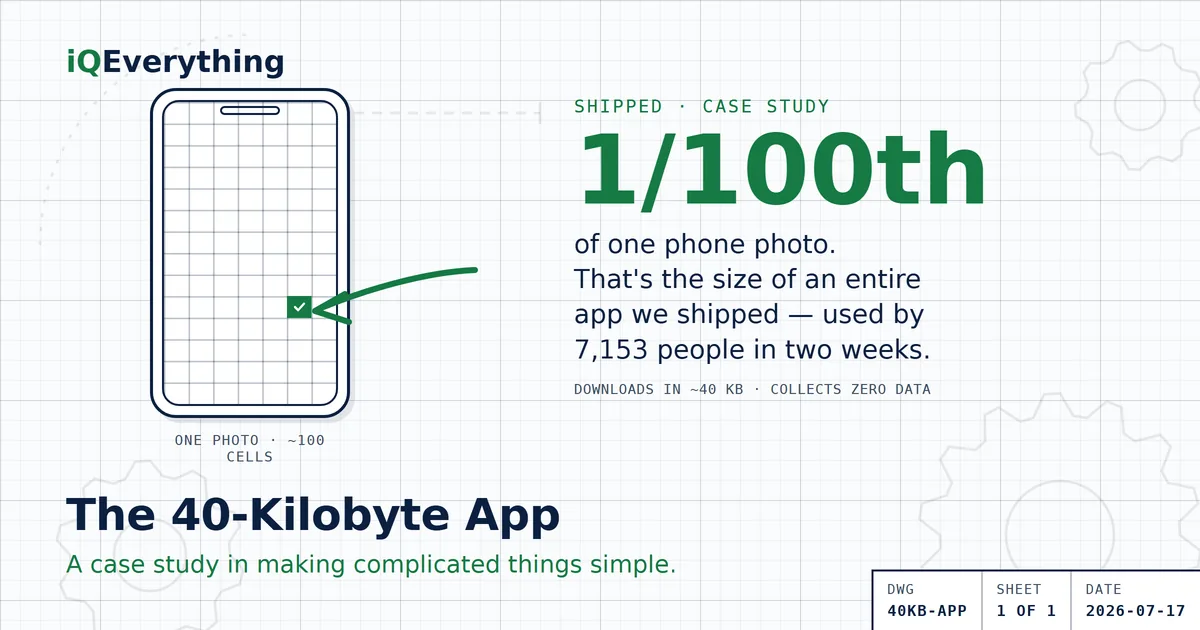
The short version: we recently shipped a complete productivity app — reminders, daily scoring, themes, backup, sync — that downloads in about 40 kilobytes. That's roughly one-hundredth the size of a single photo on your phone. In its first two weeks, 7,153 people used it, and it collects no data at all — no accounts, no cookies, not even an email address.
We're showing you the numbers because they prove a point most software vendors would rather you not think about: complexity is a choice. The same discipline that fits an entire app inside a photo's rounding error is the discipline we bring to business systems.
Why is most software so heavy?
Open your phone and look at what things weigh. The average app on your home screen runs 30, 50, 200 megabytes. Now look at what most of them actually do. The weight isn't features — it's frameworks stacked on frameworks, tracking libraries phoning home, and a decade of “we'll clean it up later.” Business software works the same way, just with more zeroes: platforms your team uses a tenth of, integrations held together with manual re-typing, and a monthly bill that grows whether or not the value does.
We wanted a clean demonstration of the opposite. So we built one.
The app — and what's actually in it
Easy Daily Checklist does one job: help you win today. One list, reset each morning. Reminders. A daily score. Streaks and stats. Themes, backup, sync between your devices. It launched July 4th, it's free, and it stays free.
Here's the part that matters for this article:
| Measurement | Number |
|---|---|
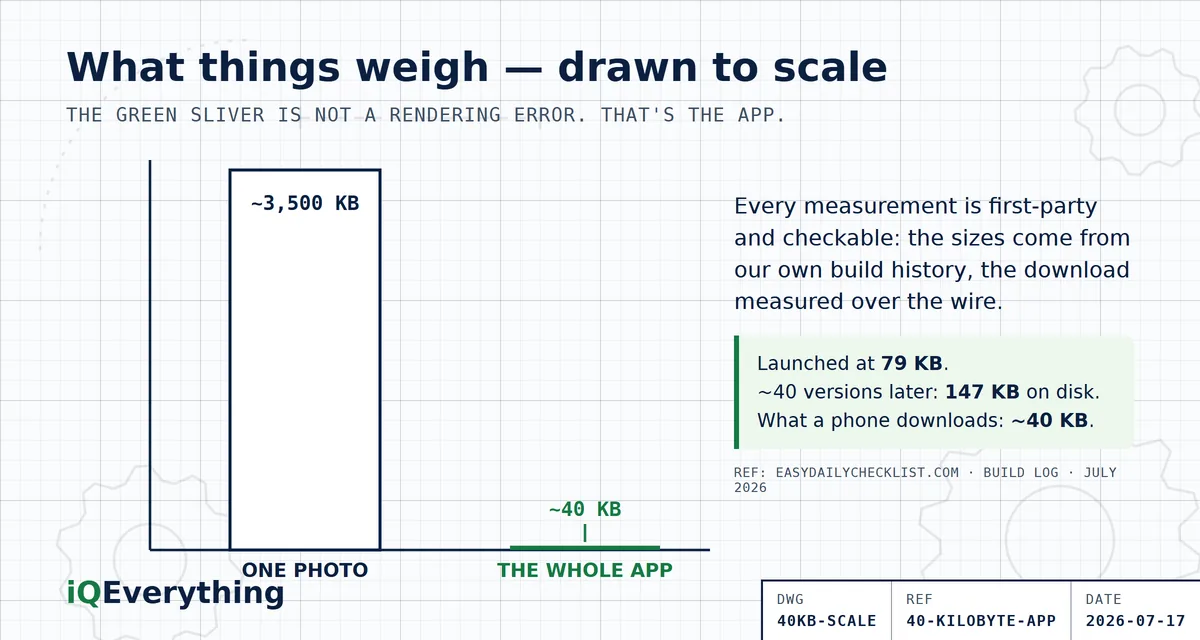
| The whole app, the night before launch | 79 KB |
| The whole app today, roughly 40 versions later | ~147 KB on disk |
| What your phone actually downloads | ~40 KB |
| A single photo from a modern phone | 3–4 MB (75–100× larger) |
| People who used it in the first two weeks | 7,153 |
| Data collected about them | None |
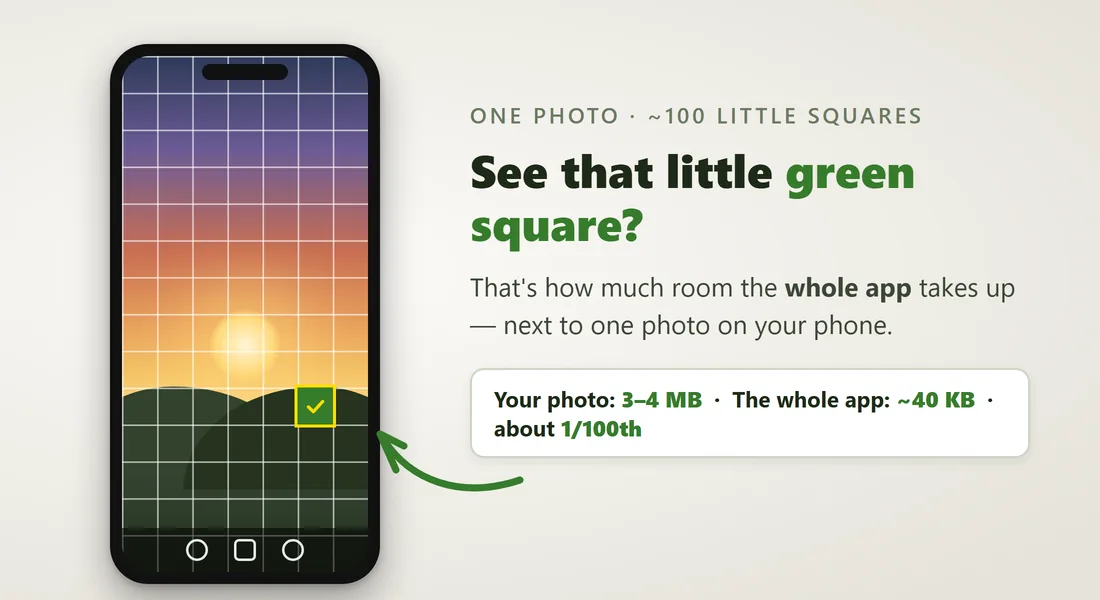
And if you'd rather see it than count it — this is the actual graphic from the app's own site. One photo, cut into about a hundred little squares:
The nicest data point isn't a number at all. A reader replied to me on Facebook to say the app changed how he runs his day. One person, one sentence — but that's the product doing exactly what it was built to do, and it's worth more to me than any chart on this page. The full story of how and why it was built this small is on the app's own site, told from the front porch, where you can check every number in this table yourself.
Why "small" is really "better," not just "smaller"
- It opens instantly. There's nothing to wait for, even on bad WiFi. Speed isn't a feature you add — it's what's left when you stop adding.
- It can't leak what it never collects. Privacy here isn't a policy bolted on afterward; it's the architecture. There is no server full of user data because there is no user data.
- There's less to break. Fewer moving parts means fewer failures, fewer patches, and a smaller surface to secure.
- It costs almost nothing to run. Which is exactly why it can be free — and why lean systems change the economics of whatever they're part of.
None of that is magic. It's subtraction, done on purpose, at every decision.
Maybe you're actually in the market for this
I almost wrote “you're probably not in the market for a checklist.” But hold on — maybe you are. This little app has a big sibling built for running a team: the Crew Edition. Same lightweight discipline, pointed at the daily work of a business:
- Your people get a personal link — that's the whole onboarding. No app to install, no accounts to create, no email addresses collected. They tap their tasks done as the day goes.
- Managers see the whole board, live. Who's done what, what's slipping, all timestamped — complete accountability without a single “did you get my email?”
- Something needs attention right now? Management pushes an alert straight to every phone on the crew — and can see exactly who's read it.
- Your team finds a problem in the field? They flag it and it lands in front of management instantly — timestamped, with an acknowledgment trail, so nothing dies in somebody's inbox.
No email chains to chase, no fourth group-chat app, no “I never saw it.” The checking of a box is the report. It's in final testing right now with a real flight operation, and you can read the whole story on the Crew Edition page.
And if you're not — the lesson still scales
Fair enough. But if you run a business, you're still living inside the heavyweight version of this story: a stack of tools where half the licenses go unused, systems that don't talk, and “simple” requests that take three platforms to answer. The size and cost of most systems reflects habit, not necessity.
When we build for businesses — a unified front end over your existing systems, an automation, a connection between two tools that never spoke — we bring the same bias you just watched work at 40 kilobytes: the smallest thing that solves the problem, nothing speculative, nothing you'll pay to maintain that you didn't need. That's what a Systems Study prices out for your specific stack: what you actually need, what you don't, and what the lean version costs.
Frequently asked questions
How can an entire app be 40 kilobytes?
By subtraction as an engineering discipline. No heavyweight frameworks, no tracking libraries phoning home, no analytics bundles — one self-contained file, compressed well by the server. The app is about 147 KB sitting on disk, and standard web compression brings what a phone actually downloads to roughly 40 KB. Weight in software is mostly habit: frameworks stacked on frameworks and features nobody removed. Take out everything the job doesn't need and there simply isn't much left to download.
Is a small app less capable?
No — weight and capability are different things. This 40 KB app has reminders, a daily score, streaks and stats, themes, backup, and sync between devices. Capability comes from solving the user's problem; weight comes from everything bundled alongside. Most of what makes modern software heavy contributes nothing the user can see.
Why does app size matter for business software?
Because bloat compounds at business scale. A heavy consumer app costs you a slow load; a bloated business stack costs you licenses nobody uses, integrations that need constant attention, longer outages with more moving parts, and maintenance bills on complexity that was never needed. Small systems open fast, break less, cost less to run, and have a smaller surface to secure. The discipline that keeps an app at 40 KB is the same discipline that keeps a business stack lean.
Does simple mean bare-bones?
No. Simple means nothing you don't need — not nothing at all. The checklist app has scoring, streaks, themes, sync, and backup; what it doesn't have is a sign-up wall, a tracking layer, or a framework ten times its own size. The test of simplicity isn't how little the software does; it's whether anything in it exists for a reason other than serving the user.
Is there a version of this for teams?
Yes — the Crew Edition, built for running a team's daily work. Each crew member gets a personal link (no app install, no account, no email address collected), managers see a live, timestamped board of what's done and what's slipping, management can push an alert to every phone and see who's read it, and crew can flag problems that land in front of management instantly with an acknowledgment trail. It's in final testing with a real flight operation; details at easydailychecklist.com/crew.html.
Want the simple version of your systems?
A Systems Study inventories what you actually use, maps where the hours go, and hands you two costed blueprints — built with the same bias you just watched work at 40 kilobytes.
Book a Strategy CallOr call or text (615) 628-7386 — a human answers.