Should You Replace the SaaS Tools You’re Paying For? The 2026 Guide to SaaS Overload
Last updated: September 24, 2026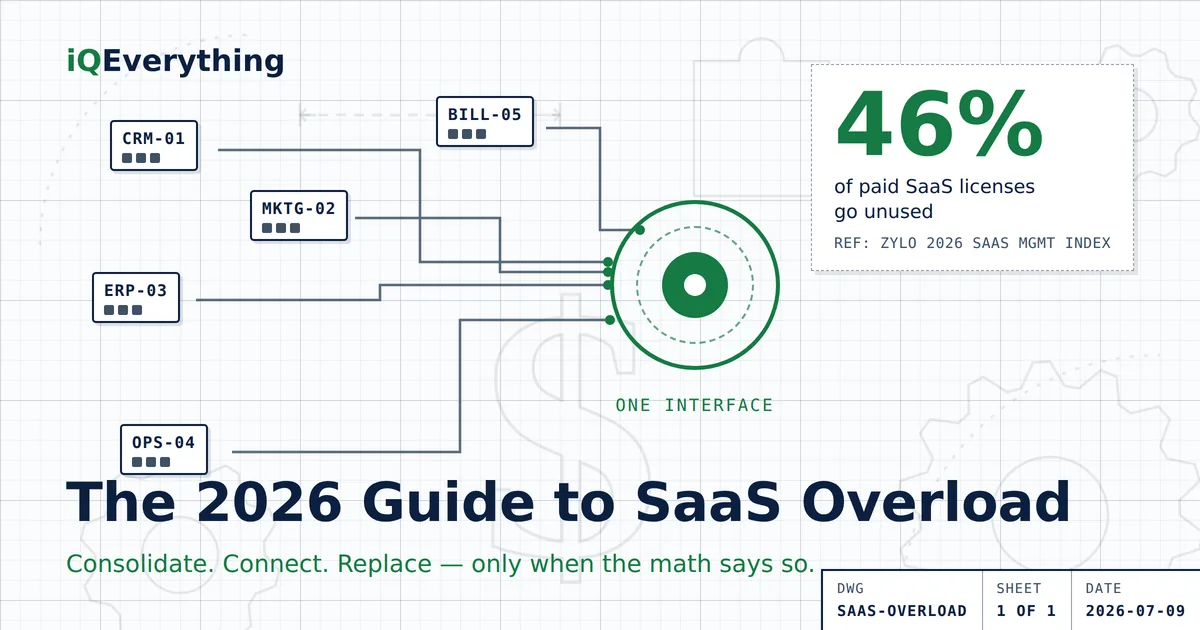
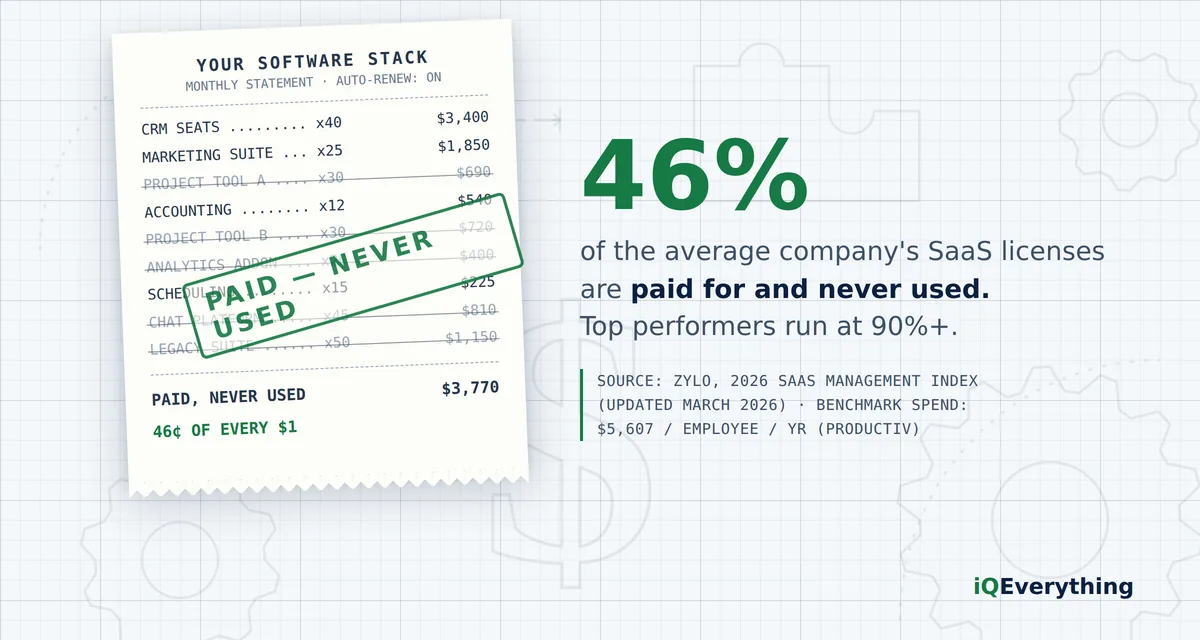
The short answer: most businesses should not rip everything out. The average organization uses only 54% of the SaaS licenses it pays for (Zylo, 2026 SaaS Management Index) — so the money is usually in measuring what you actually use, cutting the overlap, and connecting what remains behind one interface. Full replacement makes sense only when the math proves it: large and growing per-seat fees, low real utilization, and real value in owning your own data and logic.
This guide gives you the decision framework — consolidate, connect, or replace — with the verified numbers behind each path.
Software subscriptions are the only line item that grows while nobody is looking. Every tool got bought to solve a real problem. Then the team changed, the workflow changed, two more tools arrived that half-overlap the first one — and now you are paying invoices for an end result that never showed up.
This is not a small-business problem or a big-business problem. It is both, at different scales. Pick your lane:
I run a small business
A handful of people, a dozen-plus subscriptions, and a nagging feeling you’re paying for stuff nobody opens. Start with the checklist and the small-business math.
I run a larger operation
Salesforce here, an ERP there, tools bolted on for years. Six figures in licenses and reports still assembled by hand. Start with the decision framework and the Systems Study.
What is SaaS overload — and how do you know you have it?
SaaS overload (the industry calls it “SaaS sprawl”) is the gap between the software you pay for and the software your business actually uses. It shows up as overlapping tools, seats nobody logs into, and data scattered across systems that do not talk to each other.
The warning signs are the same at every size:
- You pay for two or more tools that do substantially the same job.
- Nobody in the company can name every subscription you are on — or what each one costs.
- Answering one simple question (“how did we do last month?”) means logging into several systems and assembling the answer by hand.
- New hires need a dozen logins before they can do the job.
- At renewal time you keep paying because switching feels harder than staying.
- The person who bought the tool left, and the subscription didn’t.
Three or more of those and you are not imagining it. And you are not alone: in BetterCloud’s State of SaaSOps research, 53% of organizations reported consolidating redundant SaaS apps in 2024, up from 40% the year before. Half the market has already admitted the problem.
What does SaaS overload actually cost?
The verified numbers, from named sources — not vibes:
| What the research says | Figure | Source |
|---|---|---|
| Share of paid SaaS licenses actually used | 54% — nearly half go unused | Zylo, 2026 SaaS Management Index |
| Licenses that sit unused within 30 days of purchase | 49% | Zylo |
| Companies hit with SaaS price increases at renewal in the past year | 79% | Zylo, 2026 SaaS Management Index |
| Median SaaS spend per employee, per year | $9,455 | Zylo 2026 SaaS Management Index |
| Organizations that consolidated redundant apps in 2024 | 53%, up from 40% | BetterCloud, State of SaaSOps |
| License utilization at top-performing organizations | 90%+ | Zylo |
The small-business math
Take a 10-person business somewhere near the benchmark — call it $4,000–$5,600 per employee per year across all your subscriptions. That is $40,000–$56,000 a year in software. Now apply the utilization research: if roughly half of paid licenses go unused, somewhere around $20,000–$28,000 of that is buying nothing. That is a part-time hire, a year of advertising, or a very good vacation — spent on login screens nobody visits. (Your real number takes an afternoon to find. The inventory step below shows you how.)
The larger-operation math
At scale the waste stops being a rounding error and becomes a budget line. In Zylo’s 2026 index, even organizations with up to 500 employees averaged $3.8 million a year in wasted spend on unused licenses; the largest enterprises averaged $80 million or more. And 79% of companies saw price increases at renewal in the past twelve months — so standing still costs more every year. Paying full freight for platforms your team uses a quarter of is not a technology strategy. It is a donation.
Should you consolidate, connect, or replace?
Those are the only three moves. Most businesses need them in that order, and most stop before replacement.
| The move | What it means | When it wins |
|---|---|---|
| 1. Consolidate | Inventory every subscription, measure real usage, cancel dead seats and duplicate tools. | Always first. It is free money and it shrinks the problem before you engineer anything. Two tools doing one job means one of them goes. |
| 2. Connect | Keep the platforms that earn their keep, and put one interface on top — your systems’ APIs feeding one screen, one report, one place to ask questions. | When the tools work but the experience is broken: hand-built reports, copy-and-paste between systems, 27 screens to answer one question. |
| 3. Replace | Retire the platform and run the workflow on a system you own — your data, your logic, no per-seat fees. | Only when the math proves it: big and rising license costs, low real utilization, and clear value in owning the asset. Decided by arithmetic, not frustration. |
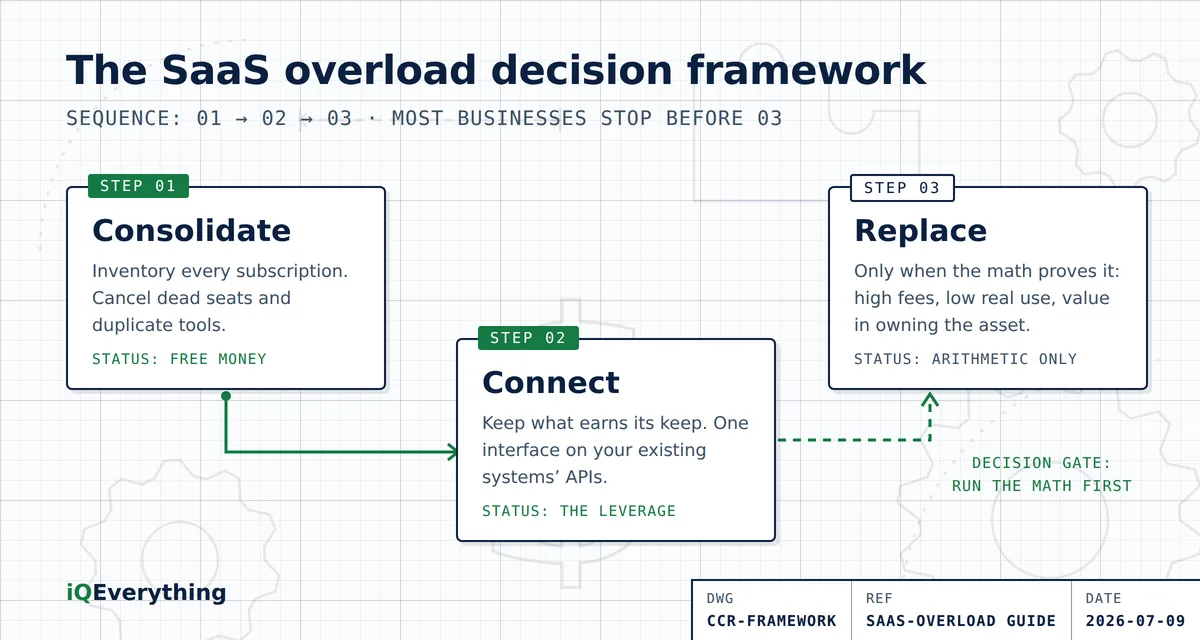
The order matters. Businesses that jump straight to replacement rebuild their overlap in custom code — expensive and slow. Businesses that only consolidate keep the broken experience, just slightly cheaper. The leverage is usually in step two: connection — which is also where the technology just changed. And if you’re seriously weighing step three, run the consolidate-versus-custom-build math before anyone writes code.
Can AI agents fix this — or are they just one more tool?
Fair question, because the software industry’s answer to too many tools has historically been another tool.
Here is the difference. An AI agent doesn’t need its own database, its own logins for your customers, or its own version of your data. It can work through the APIs of the systems you already own — read from the CRM, write to the scheduler, pull the numbers from accounting — and hand your team one interface: ask the question, get the answer, trigger the action.
That flips the old trade-off. Five years ago, fixing a fragmented stack meant either an expensive all-in-one migration or living with the mess. Now the connective layer is the cheap part. Which means the honest advice is usually the unexciting one: keep what works, connect it intelligently, and replace only what the math condemns. Anyone who tells you AI means ripping everything out is selling the rip-out. We break down exactly how agents connect the tools you already own — including what they honestly can’t do.
What is a Systems Study — and when do you need one?
Everything above is a framework. A decision needs your numbers. The iQEverything Systems Study is a paid, fixed-scope engagement that puts your whole picture on one page before you spend another dollar:
- Inventory: every tool, every seat, every integration — what you are paying for versus what your team actually touches.
- Friction map: where the hours actually go — the reports assembled by hand, the data walked between systems.
- Two blueprints: a unified front-end built on the APIs of the systems you already own, and a build plan for replacing the bloat with one system that is fully yours.
- The math: what each path costs, what each saves, and where the crossover sits — so the decision is arithmetic, not hope.
The study is yours either way — build with us afterward, or hand it to your own team. Small businesses usually do not need the full study; a strategy call and the consolidate-connect checklist covers it. Larger operations with six-figure license spend almost always learn something the CFO wants to see. Curious what the engagement actually looks like? Here’s each step, inside.
Frequently asked questions
What is SaaS overload?
SaaS overload — also called SaaS sprawl — is when a business pays for more software subscriptions than it actually uses or needs: overlapping tools, unused seats, and data scattered across systems that don’t talk to each other. The average organization uses only 54% of the SaaS licenses it pays for, per Zylo’s 2026 SaaS Management Index.
How much money do businesses waste on unused software?
Roughly 46% of paid SaaS licenses go unused, per Zylo’s 2026 SaaS Management Index. Median spend runs about $9,455 per employee per year (Zylo, 2026), so a 10-person business near that median could be paying for roughly $43,000 a year of software nobody touches.
Should I cancel software subscriptions my business doesn’t use?
Cancel the clear duplicates and dead seats first — that is free money. But measure before you cut: some low-use tools carry your data or one critical workflow. The right order is inventory first, measure real usage second, then consolidate overlap, connect what remains, and only replace where the math supports it.
Is it cheaper to build custom software than to keep paying for SaaS?
Sometimes — but only past a crossover point. Custom makes sense when per-seat fees are large and growing, when you use a fraction of what you pay for, and when owning your data and logic has real value. Below that point, connecting your existing tools behind one interface usually wins. A build-versus-buy analysis with your actual numbers is the only honest way to decide.
Can AI agents replace my business software?
AI agents are better at connecting your software than replacing it. An agent working through the APIs of systems you already own can give your team one interface — ask a question, get the answer — without the cost and risk of ripping out working platforms. Replacement is a separate decision, driven by license math, not AI hype.
What is a Systems Study?
A paid, fixed-scope engagement that inventories every tool you own, measures what your team actually uses, maps where the hours go, and delivers two costed blueprints: a unified front-end on your existing systems’ APIs, and a build plan for one custom system you fully own. You get the numbers for both paths and make the call.
How do I know if my business has too many software tools?
Warning signs: two or more tools doing the same job; nobody can name every subscription; reports assembled by hand from multiple systems; new hires needing a dozen logins; renewals paid because switching feels harder than staying. Three or more of those and you have SaaS overload.
Go deeper
- How Many Software Tools Does a Small Business Actually Need?: one tool per job, six jobs, nothing idle, nothing re-typed.
- What Does a Missed After-Hours Call Cost a Plumber?: the worksheet for the 9 p.m. gap, for any local service business.
- Should Your Website Chatbot Only Know What’s on Your Website?: why “I don’t know” beats a confident wrong answer.
- What Happens in a Systems Study? A Look Inside the Process — each step of the engagement, inside.
- Consolidate Your SaaS or Build Custom? How to Make the Call — the break-even math, and the five questions that settle it.
- The Unified AI Cockpit: What One Front End for Salesforce and Your ERP Costs in 2026 — the connect path, priced out with verified 2026 ranges.
- The 40-Kilobyte App: A Case Study in Making Complicated Things Simple — proof the simplicity discipline works: a whole app, one-hundredth of a photo.
- How AI Agents Connect the Tools You Already Own — what one agent can run across your existing tools, and what it honestly can’t.
- SaaS Sprawl in the Enterprise: What It Costs and How to Rein It In — for larger operations: what it costs at scale, and the playbook.
- Signs Your Business Has Too Many Software Tools — the seven symptoms, and exactly what to cut first.
- What SaaS Sprawl Costs a Small Business: The Real Math — put a dollar figure on the waste.
Want the answer for your business, not the average?
Bring your subscription list to a strategy call. We’ll tell you what we’d consolidate, what we’d connect, and whether a Systems Study is even worth your money — some businesses just need the checklist.
Book a Strategy CallOr call or text (615) 628-7386 — yes, a human answers.