Home › Blog › SaaS Sprawl in the Enterprise
SaaS Sprawl in the Enterprise: What It Costs and How to Rein It In
Last updated: July 10, 2026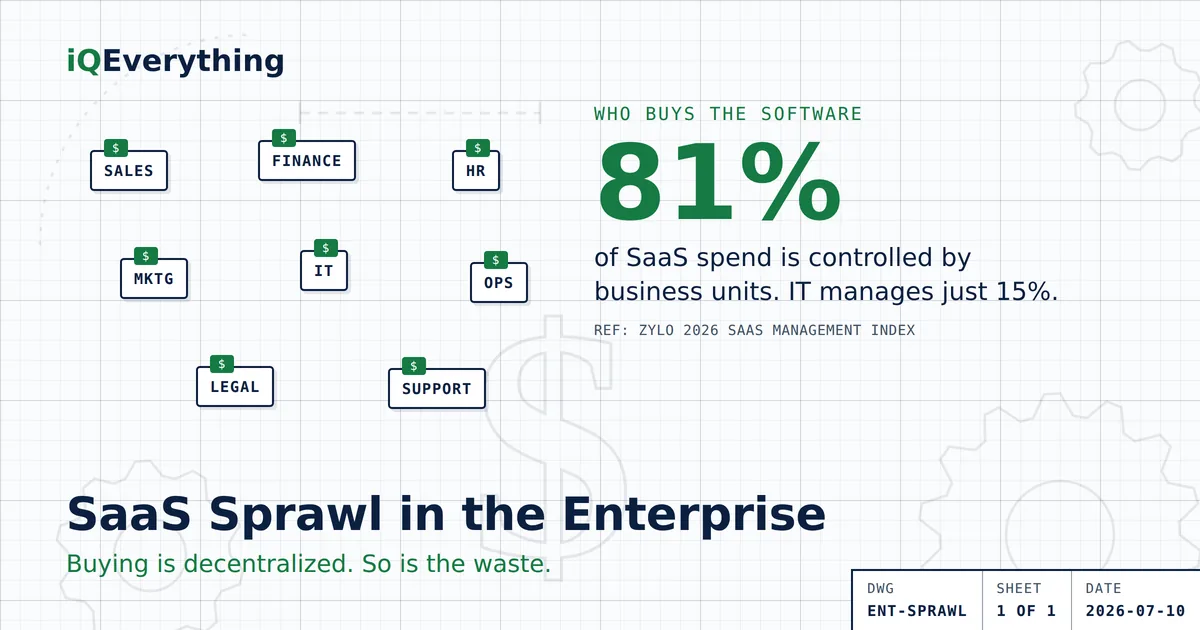
The short answer: in a large company, SaaS sprawl is structural, not accidental. Business units now control 81% of SaaS spend while IT directly manages just 15% (Zylo, 2026 SaaS Management Index), so tools pile up team by team with no one holding the full list. About 36% of licenses go unused against a median of $9,455 in SaaS spend per employee — roughly $3,400 per head tied up in software nobody opens, or about $3.4 million a year at 1,000 employees.
The fix is not a mass rip-and-replace. It is four steps in order — inventory, rationalize, connect, govern — and this is how to run them without breaking operations.
Small businesses feel SaaS sprawl as a pile of subscriptions on a card statement. Enterprises feel it as something harder to see: dozens of teams, each buying its own tools, with no single person who can name every system the company pays for. The waste is the same shape as it is for a small shop — unused licenses and disconnected tools — but the scale turns a five-figure problem into a seven- or eight-figure one, and the cause is baked into how large organizations buy software.
This is the enterprise view of the same problem the 2026 Guide to SaaS Overload covers end to end. Here we focus on what sprawl costs a large operation, why it grows, and the order of operations that actually shrinks it.
Why enterprise sprawl is a structural problem
The single most important enterprise number in this year's data is about ownership, not usage: business units now control 81% of SaaS spend, while IT directly manages just 15% (Zylo, 2026 SaaS Management Index). Software buying has moved out of one central function and into every team. That decentralization is what makes sprawl the default:
- No single inventory. When marketing, sales, finance, and ops each buy their own tools, no one owns the complete list. It is normal for a large company to pay for the same category of software three or four times across departments without knowing it.
- Constant additions. Large enterprises add roughly 21 new applications every month (Zylo, 2026). The stack grows faster than anyone can rationalize it.
- Shadow IT. More than half of employees — 55% — adopt SaaS applications without security's involvement (BetterCloud, 2026). Those tools never hit the official inventory at all.
- Mergers and reorgs. Every acquisition stacks a second set of overlapping systems on top of the first, and the “we'll consolidate later” rarely gets scheduled.
None of this is a failure of any one manager. Each team is making a reasonable local decision. Sprawl is the emergent result of hundreds of reasonable local decisions with no one watching the total — which is why the fix has to be structural too.
What sprawl costs at enterprise scale
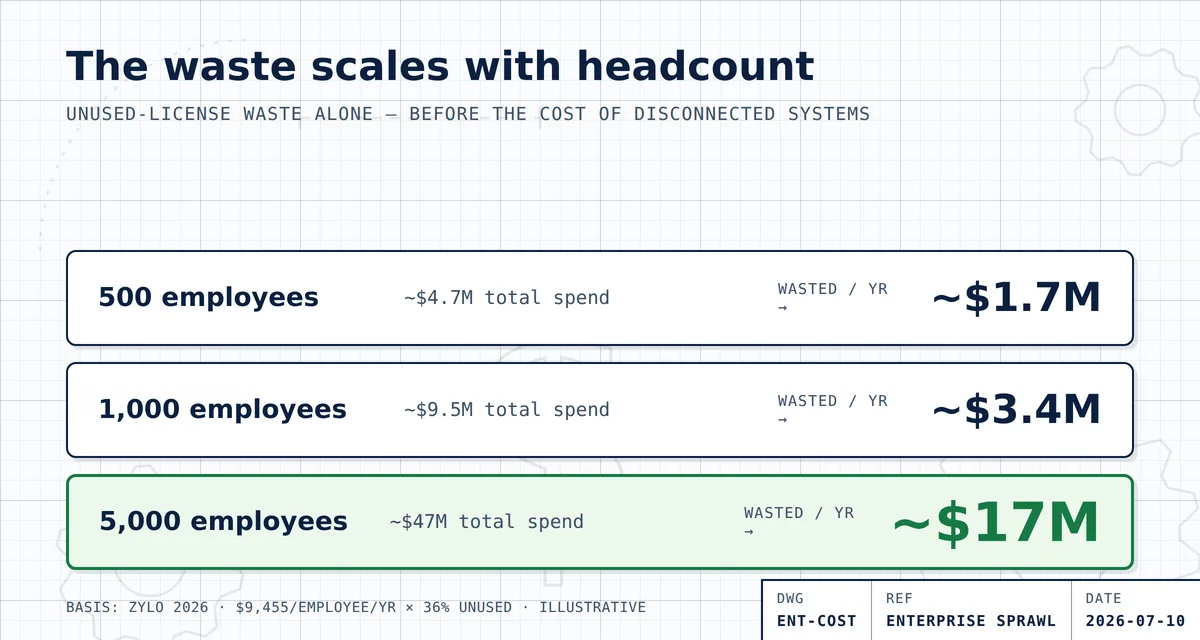
Start with two figures from Zylo's 2026 index: median SaaS spend runs about $9,455 per employee per year, and roughly 36% of licenses go unused. Multiply spend by headcount for a rough total software bill, apply the 36% figure, and the unused-license waste alone looks like this:
| Headcount | Rough annual SaaS spend | Estimated waste at 36% unused |
|---|---|---|
| 500 people | ~$4.7M | ~$1.7M |
| 1,000 people | ~$9.5M | ~$3.4M |
| 5,000 people | ~$47M | ~$17M |
And idle licenses are only the visible layer. Two more enterprise-specific costs sit underneath:
- Consumption and AI-pricing surprises. 78% of IT leaders reported unexpected charges tied to consumption-based or AI pricing models this year, and 61% were forced to cut projects because of unplanned SaaS cost increases (Zylo, 2026). At enterprise volume, a pricing model nobody modeled can blow a quarterly budget.
- The integration tax. When systems don't talk to each other, the enterprise pays people to be the integration — rekeying data between tools, reconciling reports by hand, stitching together numbers that should already agree. Across thousands of employees, those hours are the cost that rarely shows up on any software invoice.
The enterprise playbook: four steps, in order
The instinct at scale is to launch a big platform migration. That is almost always the wrong first move — a rip-and-replace is the most expensive, most disruptive option, and it doesn't address the two biggest costs (idle licenses and disconnection). Run these four steps in order instead. It is the same consolidate-connect-replace logic from the pillar guide, applied to a large operation.
1. Inventory — build one list
You cannot rationalize what you cannot see. Pull every tool the company pays for — from finance records, expense reports, and SSO logs, not just the IT-managed catalog — and record real usage: paid seats versus people who actually log in. This single list, with a named owner per tool, is the foundation everything else stands on.
2. Rationalize — cut the idle
With usage in front of you, the idle licenses are obvious. Downgrade or reclaim seats nobody uses, collapse duplicate tools where two teams bought the same capability, and let low-value contracts lapse at renewal. This is the fastest money in the whole exercise: canceling an unused license is savings today with zero migration risk.
3. Connect — make the survivors talk
For the tools you keep, the win is connection, not replacement. Most enterprise systems already expose APIs; wiring them together — so data flows automatically instead of being rekeyed — removes the integration tax without touching the platforms your teams rely on. This is where the hidden cost lives, and where the biggest ongoing return is.
4. Govern — stop it growing back
Sprawl regrows if nothing changes about how software gets bought. Put a light governance layer in place: a single intake for new SaaS requests, a usage review before every renewal, and one owner accountable for the total. The goal is not to slow teams down — it is to make sure the 21-apps-a-month firehose runs through a filter.
Where a Systems Study fits
For a larger operation with six-figure — or seven-figure — license spend, the inventory-and-rationalize work is worth doing formally. That is what our Systems Study is: a paid, fixed-scope engagement that inventories every tool and seat, maps where the hours actually go, and delivers two costed blueprints — a unified front end on the systems you keep, and a build plan for one fully owned system — so the decision to consolidate, connect, or replace is arithmetic, not a hunch. The study is yours to keep whether you build with us or hand it to your own team; at enterprise scale, it almost always surfaces numbers the CFO wants to see.
Frequently asked questions
How much SaaS spend do enterprises waste on unused licenses?
About 36% of SaaS licenses go unused (Zylo, 2026 SaaS Management Index) against a median of $9,455 in SaaS spend per employee per year — roughly $3,400 per employee in software nobody uses. That's around $3.4 million a year at 1,000 employees and closer to $17 million at 5,000. Your real figure depends on your actual tools and usage, but at enterprise scale the waste is measured in millions.
Why do large companies end up with so many SaaS applications?
Because buying is decentralized. Business units control 81% of SaaS spend while IT directly manages just 15% (Zylo, 2026), so tools get bought team by team with no central inventory. Large enterprises add about 21 new applications a month, more than half of employees adopt apps without security's involvement (BetterCloud, 2026), and mergers stack duplicate systems on top of each other.
Who controls SaaS spending in most enterprises?
Business units, not IT. Zylo's 2026 index found business units control 81% of SaaS spend while IT directly manages only 15%. That's why an enterprise can pay for the same category of tool several times over — no single owner sees the whole picture, and each team optimizes for itself.
How do enterprises reduce SaaS sprawl without disrupting operations?
In order: build one inventory of every tool and its real usage; rationalize by cutting or downgrading licenses nobody logs into; connect the systems you keep through their APIs so teams stop rekeying data; and govern buying and renewals so sprawl doesn't grow back. Ripping out and replacing platforms is the last resort, not the first move — at enterprise scale a migration is the most expensive and disruptive option.
Is replacing tools the fastest way to cut enterprise SaaS sprawl?
Usually no. Most enterprise waste is unused licenses and disconnected systems, not the wrong platforms. Cutting idle licenses is immediate savings with no migration risk, and connecting the tools you already own through their APIs removes the manual-work cost without a rip-and-replace. Replace a platform only when the math clearly proves it — the exact test the pillar guide lays out.
Want your enterprise's real number?
A Systems Study inventories every tool and seat, maps where the hours go, and hands you two costed blueprints — so the consolidate, connect, or replace decision is arithmetic, not a hunch.
Book a Strategy CallOr call or text (615) 628-7386 — a human answers.